Vibify-offline MP3
- 4.4
- Rating
- 5.00M
- Installs
- Free
- Price

 Analysis by App-foxy
Vibify-offline MP3 is a music and audio app built around a simple idea: keeping your listening focused on MP3 playback rather than surrounding it with a large streaming service. I spent time looking at it from that angle, and the result is an app that makes the most sense for people who already have music files on their device and want a straightforward way to play them. It is free, rated for Everyone, and developed by Khan eCoding.
The important thing to understand is that the experience depends on your own audio collection. This is not the kind of app I would choose when I want to search a huge online catalog, follow artists, discover editorial playlists, or replace a full streaming subscription. Its appeal is narrower and more practical: once your MP3 files are available locally, the app gives you a direct route from stored music to playback.
That focus is also why I would recommend approaching it as a utility rather than as an all-in-one music platform. The store summary, “Turn Every Moment into Music,” sounds broad, but the useful question is more specific: do you need a lightweight offline player for files you already own or have transferred? If the answer is yes, Vibify-offline MP3 deserves a look. If you expect the app itself to supply a complete music library, it is probably not the right first choice.
You May Also Like

 Blood Strike: 2.5 Anniversary
Blood Strike’s Loadouts Turn Every Drop Into a Tactical Gamble
A close look at Blood Strike’s custom loadouts: how fast access to signature weapons reshapes its battle royale rhythm, rewards preparation, and narrows the gap between fights.

 Pandora - Music & Podcasts
Pandora’s Music Is Easy to Start, but Harder to Recover
Pandora’s strength is its low-effort path from a seed to a station. Its weak spot is how much confidence it asks you to place in connection, setup, and quiet recovery.

 8 Ball Pool
 Is Built on Rivalries, Rematches, and Routine
A close look at the rivalries, rematches, shared routines, and unanswered safety questions that turn a quick pool match into a persistent mobile community.

 Samsung Music
’s Quiet Strength Is Playing What You Already Own
Its reach comes less from spectacle than from dependable access to a personal library. That simplicity is both the app’s strongest retention engine and its ceiling.

 AccuWeather: Weather Radar
AccuWeather Review: A Quick, Clear Forecast for Everyday Decisions
For everyday plans, the best forecast is the one you can understand quickly. AccuWeather makes rain timing, radar, and local conditions easy to act on, with a few trade-offs.

 Hill Climb Racing
Why Hill Climb Racing Still Turns Crashes Into One More Run
A tiny car, a bumpy hill and one more upgrade: Hill Climb Racing keeps resurfacing because its simple chaos makes every near-miss feel personal.
More From Our News Desk



Offline MP3 playback is the feature that defines the experience
The central capability is offline listening to MP3 music. In practical terms, that changes the relationship between the app and your connection. Instead of depending on an active data connection every time you press play, you can use music that is already stored on the device. For commuting, travel, weak-signal areas, or simply reducing the number of apps competing for attention, that can be a meaningful advantage.
I like this approach because it removes a common source of friction in streaming apps: waiting for a track to load, wondering whether playback will pause when the connection changes, or spending time managing downloads inside a service’s own catalog. With a local MP3 player, the listening decision is much smaller. You select the music available on the phone and start listening.
That simplicity comes with an important boundary. Offline playback is only useful when your files are already prepared. You still need a legitimate way to obtain or transfer the MP3s, and you need enough storage for the collection you want to carry. Vibify-offline MP3 does not turn an empty device into a music library. Its strength begins after the file-management part has been handled.
In my view, this makes the app particularly relevant for listeners with older collections, purchased downloads, recordings they are allowed to keep, or music copied from a computer. It can also suit someone who wants a separate listening space for a carefully selected group of tracks instead of mixing personal files with recommendations from a streaming service.
The app is available at no cost, which lowers the barrier to testing that workflow. It also has more than a million installs, so the offline-player idea clearly appeals to a substantial audience. Its average rating is 3.8, a useful reminder that popularity does not automatically mean every listener will find the experience perfect.
What changes when the music is local
Local playback gives you more control over the conditions of listening. You are not relying on a streaming account’s availability, a changing catalog, or a service’s decision to remove a particular recording. If a file is on your device and the app can play it, it remains part of your personal listening setup.
That can be especially useful for music that is difficult to find on mainstream services. I have found that a personal collection often includes live recordings, independent releases, older albums, or personal audio files that do not fit neatly into a streaming catalog. An offline MP3 app is valuable precisely because it does not ask those files to belong to a commercial platform first.
There is also a mental benefit. Streaming encourages browsing, while local playback encourages deciding. That distinction matters when I want background music for a task and do not want to spend ten minutes comparing playlists. A prepared folder or collection can get me listening faster than a large service filled with choices.
Still, this is not automatically better. Streaming services are more convenient when I want to discover unfamiliar artists, move between devices, or keep a library synchronized. Vibify-offline MP3 is strongest when independence and simplicity matter more than discovery.
How I would use it in everyday listening
The most sensible setup starts before opening the app. I would first organize the MP3 files on the phone, using clear artist and album names where possible. Even without relying on advanced library tools, good file organization makes a local player feel much more manageable. A messy folder can make any offline app seem less capable than it really is.
My practical routine would be to create a small travel collection rather than copy everything at once. A focused set of albums is easier to browse, takes less storage, and avoids the problem of scrolling through hundreds of files when I only want a short listening session. This is one of the less obvious trade-offs of offline playback: preparation replaces streaming convenience.
For a daily commute, I would prepare music while connected to Wi-Fi or while transferring files from another device, then test a few tracks before leaving. That quick check matters because offline listening is only dependable when the files themselves are present and readable. Discovering that a favorite album was never copied is much more frustrating after the journey has started.
Another useful habit is separating music by purpose. I might keep one group for concentration, another for exercise, and another for relaxed evening listening. This is not a special feature I would assume the app provides; it is a workflow that makes the offline model work better. The app becomes easier to use when the collection has already been shaped around real situations.
I would also avoid treating the phone as an unlimited archive. Large audio collections can make file browsing less comfortable and consume storage that the device needs for photos, updates, and other apps. Vibify-offline MP3 is more convincing as a player for a curated local library than as the sole answer for every audio file you own.
A realistic travel example
Imagine a long train journey through areas where mobile coverage changes repeatedly. Before leaving, I copy a few albums and a personal playlist to the phone. During the trip, I open Vibify-offline MP3 and listen without worrying about buffering or whether the next section of the route will interrupt playback. That is the kind of situation where the app’s main capability has a direct, visible effect.
The same applies to a flight, a rural drive, or a workplace where phones are kept in a low-connectivity environment. It can also help people who want to limit mobile data use. In all of these cases, the benefit is not that the app offers more music; it is that the music already selected remains available under predictable conditions.
For this scenario, I would recommend preparing more than one listening option. Offline collections can feel restrictive if you bring only a single album and then lose interest halfway through the trip. A small mix of familiar favorites and longer-form listening gives the convenience of local playback without making the experience feel repetitive.
Where the straightforward design helps and where it may frustrate
The straightforward concept is Vibify-offline MP3’s biggest strength. I do not need a subscription decision, a recommendation engine, or a large account-based ecosystem just to play local MP3 files. For someone who dislikes unnecessary layers, that can feel refreshing. The app’s current version is 1.2.1, and its relatively focused identity is easy to understand even without treating it as a complete replacement for every music app.
The same narrow focus is also the main limitation. If your main habit is searching for a song by name and playing it immediately from an online catalog, a streaming service will usually be smoother. If your library is spread across several devices, you may also prefer a solution designed around synchronization rather than local files on one phone.
Offline playback can create its own maintenance work. Files may have inconsistent names, missing artwork, duplicate versions, or unclear album information. A streaming service normally hides much of that organization behind its catalog. With Vibify-offline MP3, the quality of the experience is influenced by how tidy your collection is before playback begins.
There is another trade-off involving discovery. When I use a streaming platform, one album can lead to related artists, mood mixes, and recommendations. A local MP3 app generally keeps me inside the boundaries of what I have already collected. That is excellent when I want control and poor when I want surprise.
I would also be careful about choosing it for people who expect a polished, multi-device music ecosystem. Someone who alternates between a phone, tablet, desktop, and smart speaker may find a dedicated streaming service or synchronized music library more convenient. Vibify-offline MP3 is better suited to a device-centered listening habit.
Questions I would answer before installing
Does it work without an internet connection? Its purpose is offline MP3 listening, so the relevant preparation is having the audio files stored on the device first. I would not install it expecting the app to fetch a missing track during a trip. The offline advantage begins once the local collection is ready.
Is it a replacement for Spotify-style services? I would say no, not for most people. It is a better fit when you already have music files and want direct playback. Streaming remains the stronger option for discovery, online catalogs, recommendations, and effortless access across several devices.
Do you need to pay to try it? No. Vibify-offline MP3 is free, which makes experimentation easy. I would still judge it by whether its local-file approach matches your habits rather than by price alone; a free app is not useful if you do not keep MP3s on your phone.
Is it appropriate for children? The content rating is Everyone, so it is positioned for a general audience. As with any music player, the actual suitability of the listening material depends on the files selected by the user, not only on the app’s age classification.
What operating system does it support? The minimum requirement is Android 7.0, so owners of very old Android devices should check compatibility before planning a music transfer. For supported phones, the app’s value is most apparent when the device has enough available storage for the intended collection.
Who gets the most value from this app
I would point Vibify-offline MP3 toward listeners who maintain their own music library and want a simple offline routine. It is particularly suitable for people who travel, spend time in unreliable coverage, prefer not to stream constantly, or want to keep personal audio separate from recommendation-heavy services.
It can also be a sensible choice for someone setting up an inexpensive secondary phone as a dedicated music device. In that arrangement, the phone can hold a carefully selected collection, while the app handles the basic listening role. The trade-off is that the user must manage the files and accept a more manual experience than a modern streaming platform provides.
People with independent collections may appreciate the control most. If your listening includes MP3s that are not part of a standard online catalog, local playback avoids the frustration of searching for something that may never appear. That does not make the app a discovery tool, but it does make it practical for music that you already possess legitimately.
I would skip it if your priority is effortless access to millions of online tracks, automatic playlists, lyrics services, cloud synchronization, or recommendations that constantly refresh your listening. Those needs point toward a broader music platform. I would also skip it if you rarely download or transfer audio files, because the app’s main advantage would remain unused.
My recommendation is therefore specific rather than universal: try it when offline MP3 playback is the problem you actually need to solve. Start with a small, organized collection and test it in the place where you most need dependable listening, such as a commute or trip. If that workflow feels natural, the app’s free price and focused design make it an easy addition.
For me, the appeal is not the promise of replacing every music service. It is the clarity of having local music available without turning every listening session into an online browsing task. Khan eCoding has aimed this app at a defined use case, and that focus is both its advantage and its limit. When your own MP3 library is ready, Vibify-offline MP3 can make offline listening pleasantly direct; when you want the world’s music delivered on demand, another category of app will serve you better.
FAQs for Vibify-offline MP3
01What is Vibify-offline MP3 and how does it work?
Vibify-offline MP3 is a music application that allows users to download and play MP3 files without needing an internet connection. Users can search for their favorite tracks, download them directly to their device, and create playlists for offline listening. This feature is particularly useful for those who want to save on data usage or listen to music while traveling.
02Is Vibify-offline MP3 free to use?
Yes, Vibify-offline MP3 offers a free version with basic features. However, there may be in-app purchases or a premium version available that provides additional features such as ad-free listening, higher quality audio, and more advanced playlist options. It is recommended to check the app store listing for detailed pricing and feature information.
03How much storage space does Vibify-offline MP3 require?
The Vibify-offline MP3 app itself requires minimal storage space, typically under 100 MB. However, the amount of storage needed will increase as you download more music files. Users should ensure they have enough free space on their device to accommodate their music library, as MP3 files can vary in size depending on their length and quality.
04Can I transfer my music library from other apps to Vibify-offline MP3?
Vibify-offline MP3 may allow users to import music files stored locally on their device, but transferring directly from other music streaming apps is generally not supported due to digital rights management (DRM) restrictions. Users should check the app’s import options and ensure they have the rights to transfer any music files they wish to import.
05What platforms is Vibify-offline MP3 available on?
Vibify-offline MP3 is available for both Android and iOS devices. Users can download the app from the Google Play Store for Android or the Apple App Store for iOS. Before downloading, it's important to check for compatibility with your device's operating system to ensure smooth performance and access to all features.
Pros
- No internet required for playback.
- User-friendly interface design.
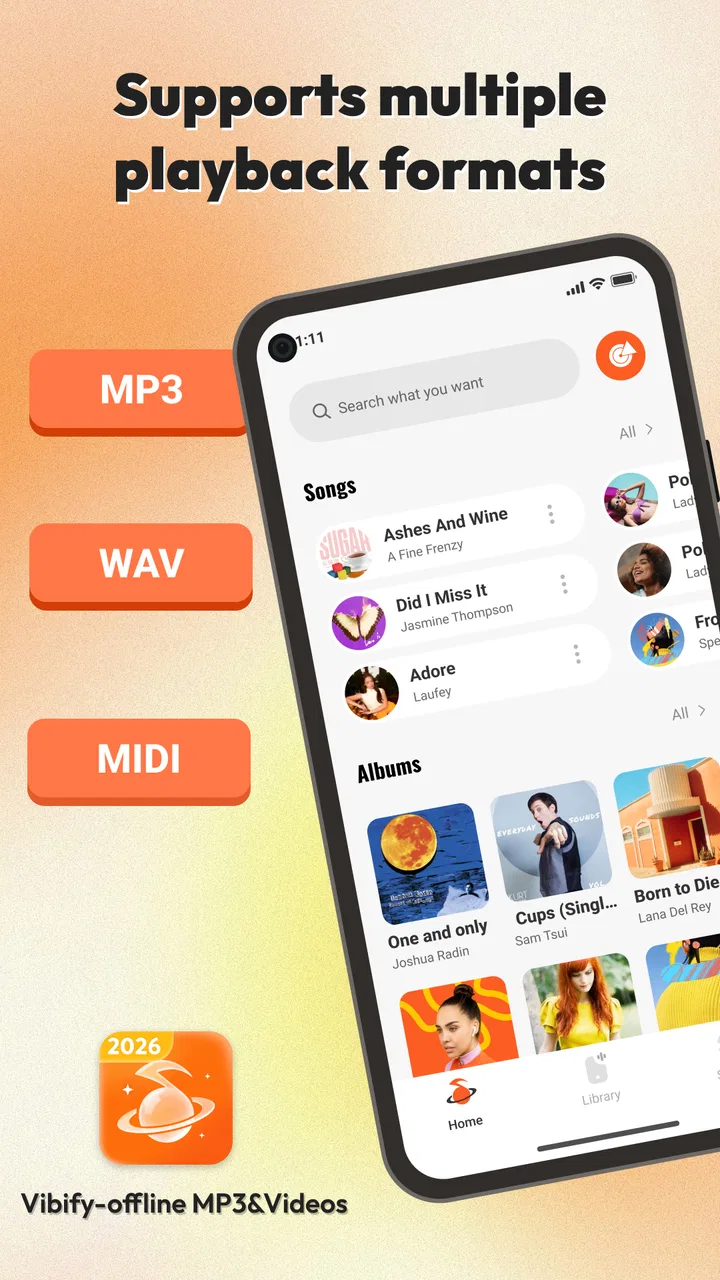
- Supports multiple audio formats.
- Customizable playlists feature.
- Efficient battery usage.
Cons
- Limited music library options.
- No lyrics display feature.
- Ads in free version.
- No cloud sync support.
- Basic equalizer settings.

Vibify-offline MP3
Gallery